Cornerwitch System Requirements
Official Windows baseline, Steam features, languages, and compatibility context for Cornerwitch.
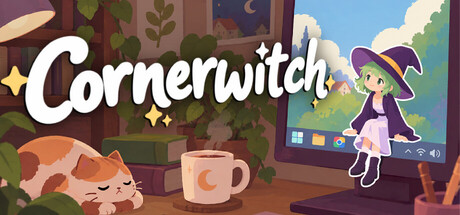
Cornerwitch is a lightweight cozy idler designed to sit in a desktop corner, not a AAA render showcase. Still, matching the official Steam requirements prevents confusing “is this a bug or my GPU?” moments when spells, cats, and boss telegraphs need clear UI. This page collects verified hardware, feature, and language facts for app 4443690 by AramiGames.
Return to the Tools Hub for companion window tips, or jump to Desktop Companion once you can launch successfully.
Minimum Windows specifications
Per the Steam listing (Windows-focused):
- OS: Windows 7 64-bit
- Processor: 2 GHz
- Memory: 2 GB RAM
- Graphics: OpenGL 3.3 capable
- Storage: about 200 MB available space
Controls are described as mouse/touch friendly options—there is no heavy keyboard-combat fantasy here. That matches the point-and-click cozy loop: defeat monsters for gold, level up, unlock cosmetics, study spells, recruit cats, fight bosses, and use tiny idle mode.
If your machine clears these numbers, performance problems are more likely window/compositor quirks than raw horsepower. See day-one notes on Day One Patch for multi-monitor and snapping fixes.
Steam platform features
Verified feature flags useful for planning:
- Steam Cloud — progress can sync across machines on the same account
- Steam Achievements — 22 total, including First Spark, Apprentice, Journeywitch, Archmage, Moon-Crowned, and boss defeats (Great Boar, Frost Golem, Fairy Queen, Necromancer, Magma Demon)
- Family Sharing — eligible for sharing under Steam’s rules
- Single-player — no shared multiplayer mode; facts file marks shared multiplayer as none
Cloud sync matters if you bounce between a desktop and a lighter laptop while keeping the same studies and cosmetics. After large patches, launch once online to let Cloud settle before assuming a save vanished.
Languages
The game includes a wide localization set such as English, German, Spanish, Japanese, Korean, Portuguese (Brazil), Russian, Simplified Chinese, and Spanish (Latin America). Day one localized some untranslated texts, so language completeness should be better than the earliest builds. This fan wiki currently focuses on a smaller site locale set configured in site.meta.json, but the game client itself may offer more languages than the wiki UI.
Linux, Proton, and Steam Deck context
The store requirements emphasize Windows, yet the day-one patch explicitly improved Linux & Proton compatibility. That is encouraging for Deck and desktop Linux players, with caveats:
- Treat Proton play as best-effort unless Steam later lists Linux as a full store OS.
- Community reports mention transparency flicker on Steam Deck (ground normal, other layers flickering), which can obscure UI cues added for spell clarity.
- Combine Proton attempts with the window guidance on Desktop Companion.
Always update to the latest build before filing compatibility bugs with [email protected].
Storage, installs, and package naming
~200 MB is tiny by modern standards—leave headroom for Steam shader caches or Proton prefixes if you go that route. When purchasing or gifting, note that the package label may show Click and Spell while the product title is Cornerwitch. Launch price messaging has included $4.99 list and introductory $2.99 (-40%) offers.
How requirements interact with gameplay guides
Low specs mean almost anyone can follow Getting Started and How to Play. Bottlenecks are more often attention and window placement than frame rate. Faster post-Demo Feedback pacing still assumes you can read the clearer spell/skill UI—use a large enough window (day one raised max size) when comparing unlocks for Builds.
Boss preparation on Bosses does not need a gaming GPU; it needs stable focus and helpers scored via Spells and Cats.
Pre-flight checklist
- 64-bit Windows (or up-to-date Proton stack)
- OpenGL 3.3 capable GPU/drivers
- ≥2 GB RAM free enough for the cozy client plus your browser/wiki tabs
- ~200 MB free disk, more if using Proton
- Steam overlay optional; mouse or touch input ready
- Latest Cornerwitch build with day-one fixes applied
- Know where support lives: Steam hub + [email protected] via Links
Related pages
- Tools Hub · Desktop Companion
- Updates · Day One Patch · Demo Feedback
- Guides · Idle Mode · Tier List
If you meet these requirements and the client still misbehaves, capture OS version, GPU, monitor count, and whether resizing preceded the fault—then send that package to support instead of guessing at phantom hardware walls.
Frequently Asked Questions
Quick answers for new and returning witches.
What are the minimum specs for Cornerwitch?
Windows 7 64-bit, 2 GHz CPU, 2 GB RAM, OpenGL 3.3 graphics, and about 200 MB of storage, per the Steam listing.
Does Cornerwitch support Steam Cloud and achievements?
Yes. Steam Cloud, Achievements (22 total), and Family Sharing are part of the feature set.
Is the game multiplayer?
No. Cornerwitch is single-player.
Can I run it on Linux?
The documented baseline is Windows, but the day-one patch improved Linux and Proton compatibility. Results can vary—update first and report issues to [email protected].
Why does my receipt say Click and Spell?
Some purchase UI labels use Click and Spell while the game title is Cornerwitch. It refers to the same app 4443690.