Cornerwitch Day One Patch Notes
Launch-day quality-of-life and compatibility fixes from AramiGames on November 23, 2026.
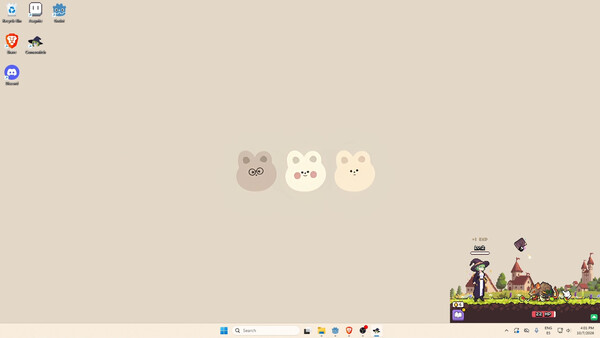
Cornerwitch released on Steam on November 23, 2026. The same day, developer Rami (AramiGames) published Patch notes: Day one, thanking players for purchases, reviews, and early feedback on the first published game. The post reported no game-breaking bugs so far, but collected minor issues and quality-of-life requests into a fast follow-up build.
This page restates the verified patch contents, explains why each line matters for a desktop-corner idler, and links related wiki guides. For the wider changelog index, see the Updates Hub. Demo-era pacing work is covered separately on Demo Feedback.
Verified day-one changes
According to the official announcement, the patch adds:
- Better compatibility with Linux & Proton
- Localized some untranslated texts
- Option to disable window snapping
- Maximum game size increased
- Fixed multi-monitor window placement
- Better visual cues on some UI elements
Rami also said updates would continue in the following days as more feedback arrives. Support contact for the project remains [email protected] (also listed on Links).
Why Linux & Proton support matters
The Steam store listing emphasizes a Windows build (Windows 7 64-bit+, 2 GHz CPU, 2 GB RAM, OpenGL 3.3, about 200 MB). Day-one Proton/Linux work widens who can keep the cozy window running even when the store badge still reads Windows-focused. If you play through Proton, retest after this patch before filing duplicate bug reports—see System Requirements for the official baseline and Desktop Companion for window behavior tips.
Localization fixes
Cornerwitch ships with a broad language set including English, German, Spanish, Japanese, Korean, Portuguese (Brazil), Russian, Simplified Chinese, and Spanish (Latin America). Day-one localization of previously untranslated strings reduces mixed-language UI during studies, spells, and achievement hunting. If you still spot leftover English (or another language) in a translated client, capture a screenshot and send it to support or Steam discussions so Rami can queue another pass.
Window snapping toggle
Desktop companion games fight the OS for screen real estate. An option to disable window snapping helps when Windows (or your environment) aggressively docks the corner witch while you drag. Pair this with the larger max size and multi-monitor fix for a stable layout—especially if you keep guides open on a second display while learning How to Play or Idle Mode.
Larger maximum size & multi-monitor placement
Increasing the maximum game size makes pixel UI, spell tooltips, and cosmetic previews easier to read. The multi-monitor placement fix targets the classic “window opens on the wrong screen” problem that breaks cozy workflows. After updating, place Cornerwitch where you want it, enable tiny idle mode when focusing elsewhere, and avoid rapid resize spam if you are affected by the community-reported resize freeze until restart.
Better UI visual cues
Clearer cues complement the earlier demo feedback work that made spells and skills easier to understand. Day-one visual polish helps you evaluate unlocks using the frameworks on Spells, Cats, and Builds without guessing what just proc’d in the corner.
What day one did not claim to change
The announcement did not list a full combat rebalance, new bosses, or renamed achievements. Continue treating the boss achievement cast—Great Boar, Frost Golem, Fairy Queen, Necromancer, Magma Demon—as the published achievement order / thematic progression described on the tier pages and Bosses. Progression titles such as First Spark, Apprentice, Journeywitch, Archmage, and Moon-Crowned remain part of the 22-achievement set unless a later note says otherwise.
Pricing context for launch shoppers: list price about $4.99 with introductory discount messaging around $2.99 (−40%) through December 7, 2026, and the purchase package may still show the label Click and Spell.
How to apply the patch as a player
- Update Cornerwitch through Steam (app 4443690).
- Confirm window snapping, size, and monitor placement settings.
- Skim spell/skill UI for the improved visual cues.
- If you use Proton/Linux, smoke-test click combat, idle mode, and a quick cosmetic menu open.
- Resume progression with Getting Started or your current boss gate.
Residual issues to watch
Community threads still mention:
- Resize freeze until restart
- Steam Deck transparency flicker (layers other than the ground)
These are not contradicted by the day-one bullet list. Work around them while waiting for future fixes, and keep reporting with clear repro steps.
Related reading
- Updates Hub · Demo Feedback
- Desktop Companion · System Requirements
- Guides Hub · Tier List Hub · Links
Day one made Cornerwitch easier to live with on real desks. Combine it with the demo pacing pass, and new saves should feel both clearer and quicker to learn.
Frequently Asked Questions
Quick answers for new and returning witches.
When did the day-one patch ship?
On launch day, November 23, 2026, alongside the Steam release of Cornerwitch.
Does the patch add official Linux as a store OS?
It improves Linux and Proton compatibility. The store baseline still documents Windows hardware requirements—check System Requirements for details.
Can I turn off window snapping now?
Yes. Day one added an option to disable window snapping, plus a larger max size and multi-monitor placement fix.
Did day one rebalance bosses or spells?
The official note focused on compatibility, localization, window behavior, and UI cues—not a listed combat rebalance. See Demo Feedback for earlier pacing and formula work.
How do I contact the developer about leftover bugs?
Email [email protected] or use the Steam community hub linked from the Links page.